Monthly
$14.99a month
1,000 credits every month. Cancel any time.
Start monthly $14.99/moCredits you don't use roll over.
New · Vocal plugin for Mac
Type the sound you want. The CHAIN engineer inside the plugin mixes your vocal for you.

Tap play: your raw vocal first, then the record
Black Friday sale— 75% offEnds in
Get the Travis Scott sound $99 oncePlus 57 more artists and the CHAIN engineer. No subscription.Or $99 once. Instant download.
Pick your artist. The page follows.
Inside the plugin
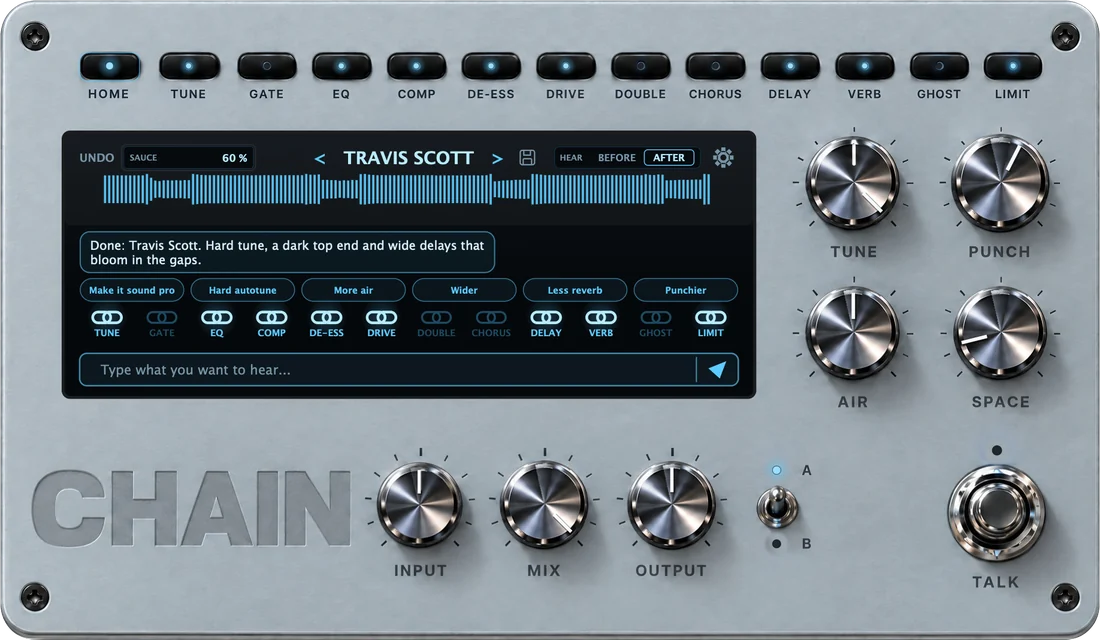
Tell it what you want the way you would tell a person. It sets every knob for your voice and tells you what it changed. The CHAIN engineer is an AI mix engineer, built on the vocal chains behind today's records.
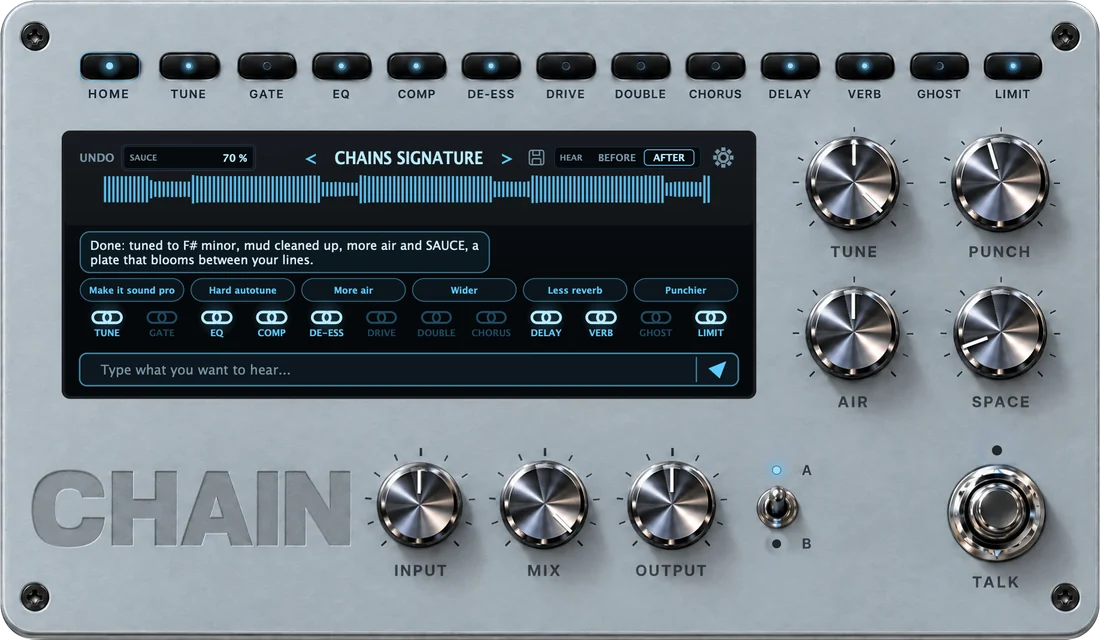
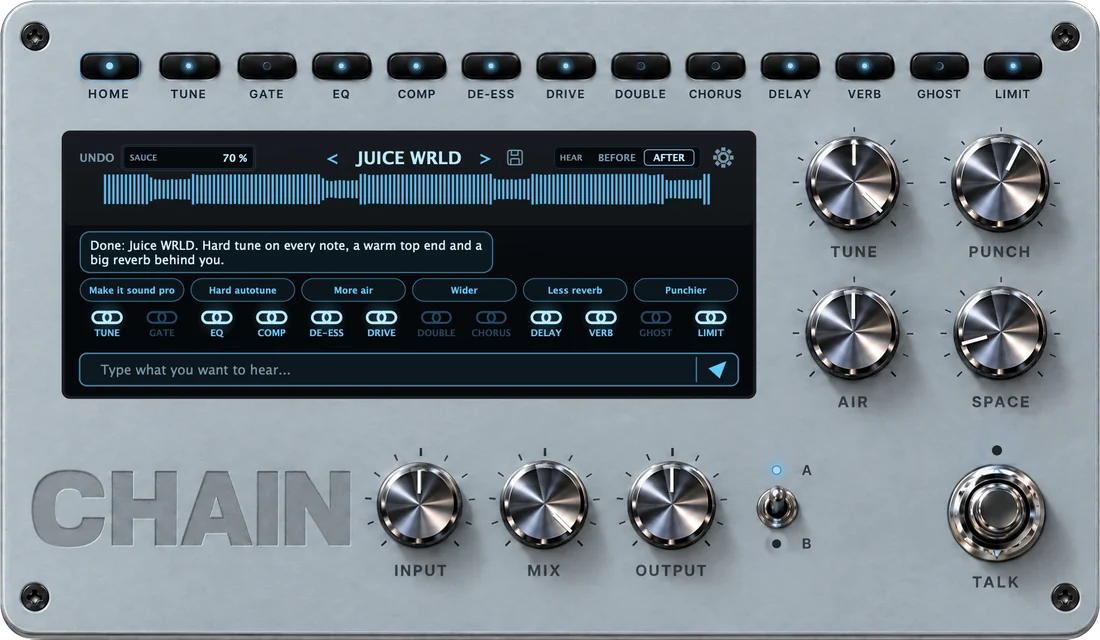
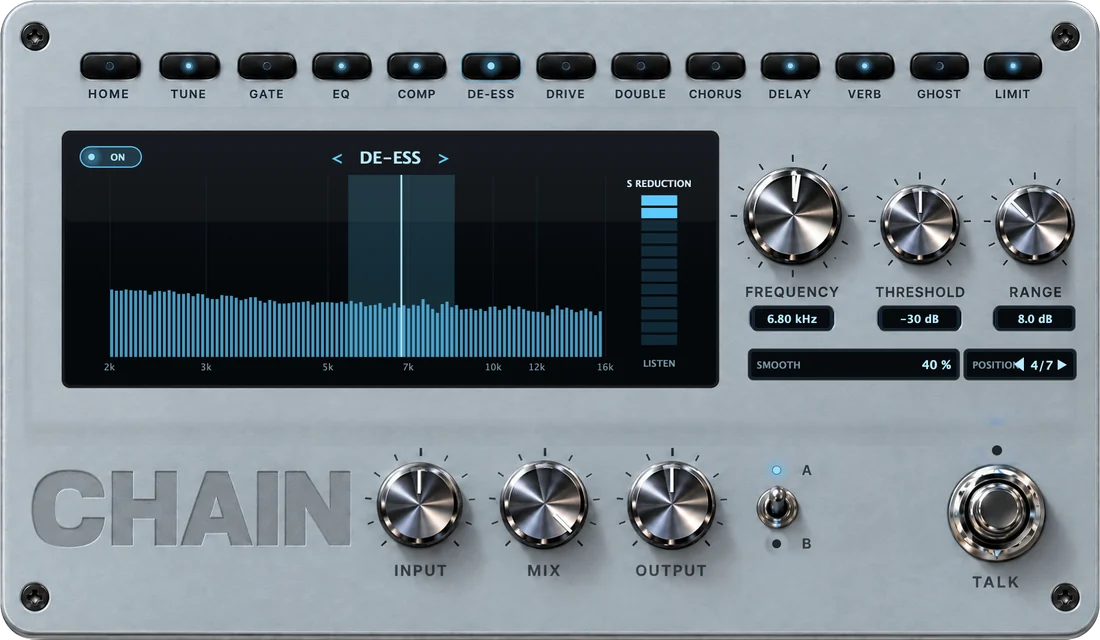
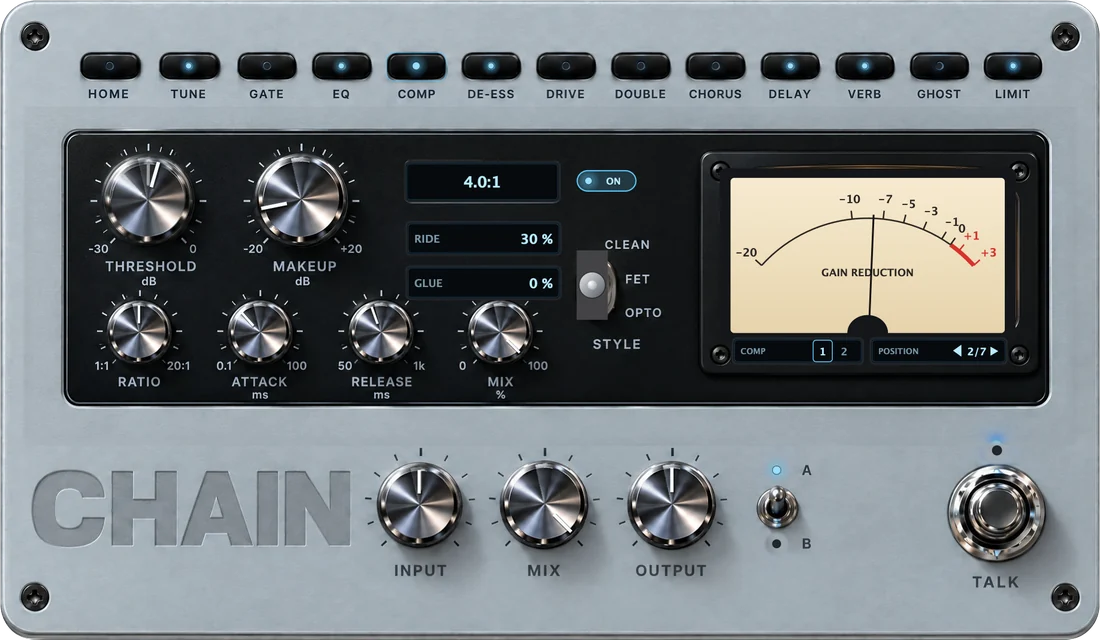
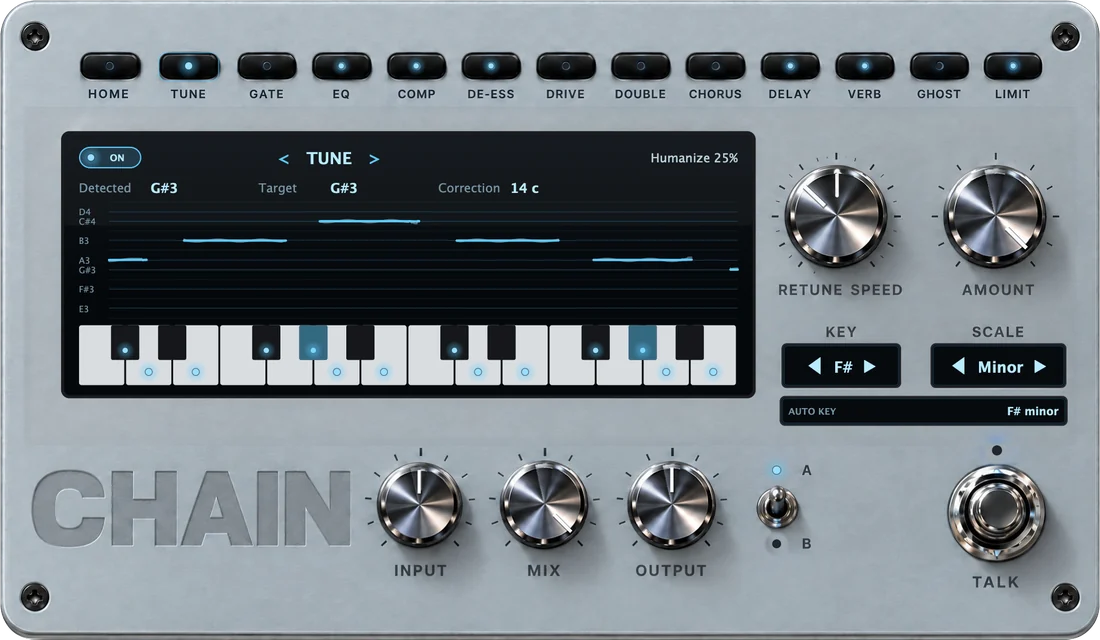
Tap a request. You hear the raw take first, then what the CHAIN engineer does with it.
Try another request
make me sound like Juice WRLD
Done: Juice WRLD. Hard tune on every note, a warm top end and a big reverb behind you.
my S's hurt my ears
Fixed: de-esser on at 6.8 kHz, the loudest S's down about 4 dB.
make the hook hit harder
Done: more punch, a brighter top and a wider 1/8 delay on the ends of your lines.
less autotune, keep it natural
Done: tuning slowed down and humanized, your vibrato kept.
No mixing required
One plugin on the vocal track, in any Mac DAW.
“Drake”, “more air”, “make the hook hit harder”. That is the whole job.
Tuned to your key, mixed and loud. Flip BEFORE and AFTER, bounce it and post it tonight.
Auto key
F# minor
F#G#ABC#DE
Auto key listens to your vocal, and to the beat when a second CHAIN sits on it, and tunes you to the song's real key. Hard robot or natural, every note lands.
Built for bedroom artists
You sing or rap into your mic at home. CHAIN makes that take sound finished: in tune, clear, full and loud. There is no mixing to learn and no engineer to book.
58 artist sounds are built in. Pick a name and hit record.
While the idea is still hot, not next week.
The tuning, EQ, compression and effects are set for you.
$99 once and it's yours, for every song you make.$14.99 a month, or $99 once and it's yours.
What's inside
Tuning, EQ, compression, de-essing, delay, reverb and loudness, in one window. It is all set for you. Tap a key if you are curious.
Built in
The tuning, EQ, compression, delays and reverb behind the records you love, already dialed in. Pick a name and hit record. Tap an underlined one to hear it.
Travis Scott Drake The Weeknd Justin Bieber Ariana Grande Juice WRLD Playboi Carti Lil Uzi Vert Central Cee Kanye West Post Malone Billie Eilish Don Toliver Lil Baby Gunna Young Thug Pop Smoke Frank Ocean Tyler, The Creator Chris Brown Dua Lipa Harry Styles XXXTentacion Lil Peep The Kid LAROI Ken Carson Yeat Destroy Lonely Trippie Redd NBA YoungBoy Lil Durk King Von Lil Tecca Lil Yachty Charlie Puth Joji d4vd JVKE Dominic Fike 4Batz Khaled Nettspend Glaive Ericdoa Brakence Osamason Midwxst BabyTron BLP Kosher DC The Don EsDeeKid Nemzzz Che Bleood Slayr Gunnr Ian Yeat 2093 + any sound you can describe
Artist names describe the sound a preset aims for. No artist made or endorses CHAIN.
Works everywhere
One plugin for every Mac DAW, on Apple silicon and Intel. Pick yours to see where CHAIN goes.
Logic Pro
Audio Units
Not yet: Pro Tools (AAX) and Windows. Get CHAIN for Windows first
No. Pick an artist or type what you want. CHAIN sets the tuning, EQ, compression, de-essing, delay, reverb and loudness for you.
Any Mac DAW that loads VST3 or Audio Units: Logic Pro, GarageBand, FL Studio, Ableton Live, Studio One, Reaper, Cubase and Bitwig. Pro Tools (AAX) is not supported yet.
Not yet. We’re building it now: leave your email and you get it first. CHAIN runs on macOS 12 or later, natively on Apple silicon and on Intel Macs.
You get the same kind of chain: the tuning, tone, compression and effects that define those records. Your voice and your delivery stay yours. Hear the before and afters at the top of the page.
No. Tuning and everything else is built in.
The CHAIN engineer is an AI mix engineer inside the plugin. Type what you want in plain words: it hears your vocal, builds or tweaks the whole chain and tells you what it changed. It answers online; without internet, every artist sound, preset and knob still works. CHAIN checks its licence online once every 14 days.
What the CHAIN engineer's answers cost. A new chain from scratch is 10 credits, a tweak like “more air” is 5, so 1,000 credits make about 100 new chains or 200 tweaks. Artist sounds, presets and knobs never use credits.
No. Every credit stays on your account until you use it, the monthly ones too.
In CHAIN, right next to the chat, and in your account on our site, with every new chain and tweak listed.
CHAIN keeps working: every artist sound, preset and knob. Top up in your account, from 500 credits for $8.99. No subscription.
Yes. Click the disk next to the preset name, give it a name and press SAVE. It shows up under My presets in every CHAIN, in every DAW.
Yes. Switch on LIVE at the bottom of the plugin: its delay drops to a few milliseconds, so you can record with the tune in your headphones. Switch LIVE off for the mix: that is the most precise tuning, and your DAW lines everything up.
Right after you pay: the download link arrives by email within a minute. Install it, open CHAIN in your DAW and press SIGN IN: your account opens in the browser, you press Connect CHAIN, and your credits are already there. The install guide shows every step.
Yes, once. CHAIN is new and its installer does not carry Apple’s developer signature yet, so macOS stops it the first time. Open System Settings, go to Privacy & Security, scroll down and click Open Anyway. The install guide shows where.
Cards and express checkouts like Apple Pay and Google Pay, through Shopify's secure checkout.
For tax, which depends on where you live. Nothing is shipped: CHAIN is a download.
No. You pay $99 once: CHAIN is yours forever, with 1,000 credits and free updates for version 1. Credit top-ups are paid once too.Only if you want one. Monthly is $14.99 and adds 1,000 credits every month. Or pay $99 once: CHAIN is yours forever, with 1,000 credits and free updates for version 1.
Yes, any time, in two clicks in your account. CHAIN works to the end of the month you paid for, and your unused credits stay on your account.
Yes. Everything you make is yours: no royalties, no credit needed.
No. CHAIN is a digital product and it is yours the moment you buy it, so all sales are final. Listen to the examples on this page before you buy. If you get stuck, write to support@chainsaudio.com and we will help you get the sound.